iPad · iPhone · iPhone Duo

Your notebook,
always with you.

Write with Apple Pencil, type anywhere, record, and mark up PDFs. Keep a daily journal that turns like a real book. Even set your notes in your own handwriting.

Get PenaraSee it on Duo
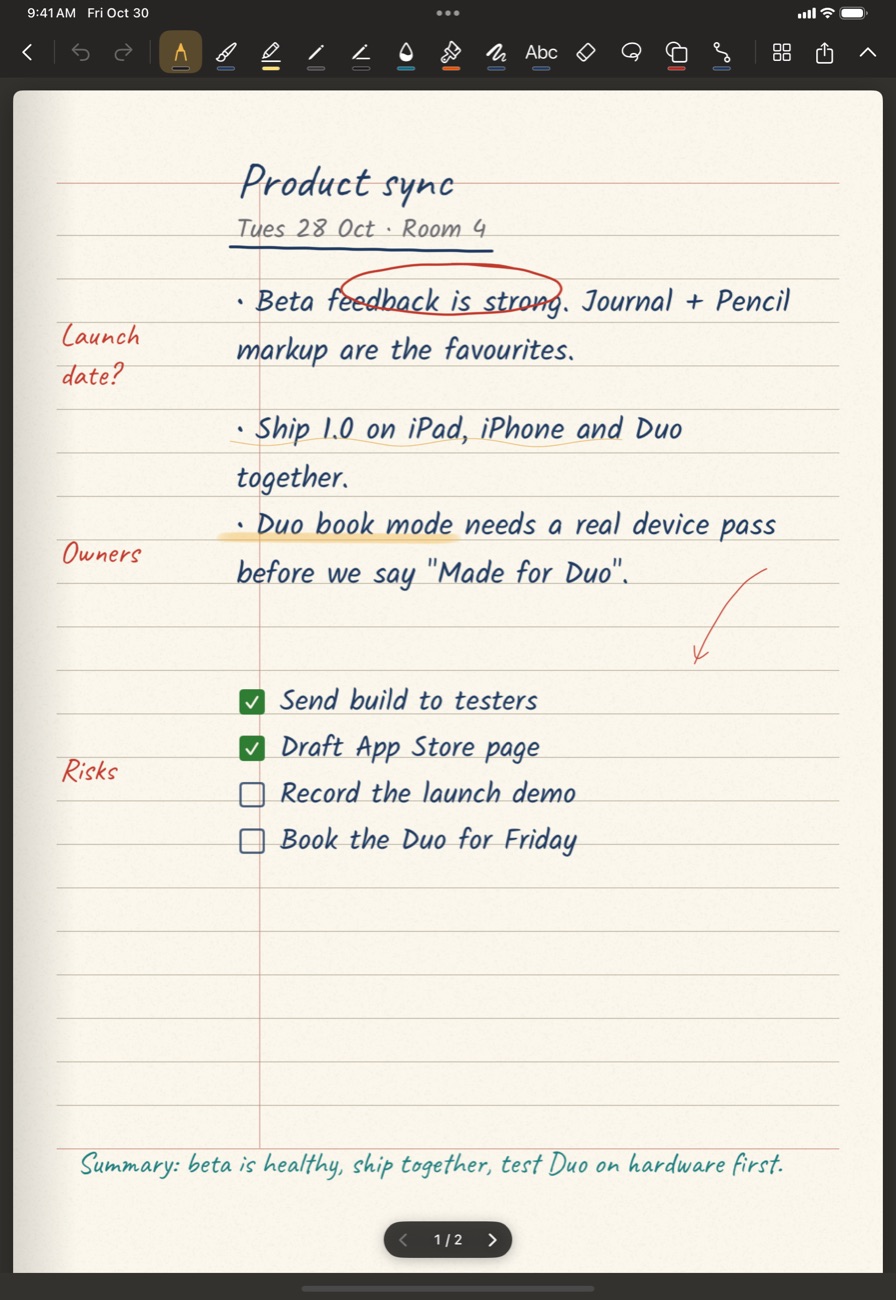
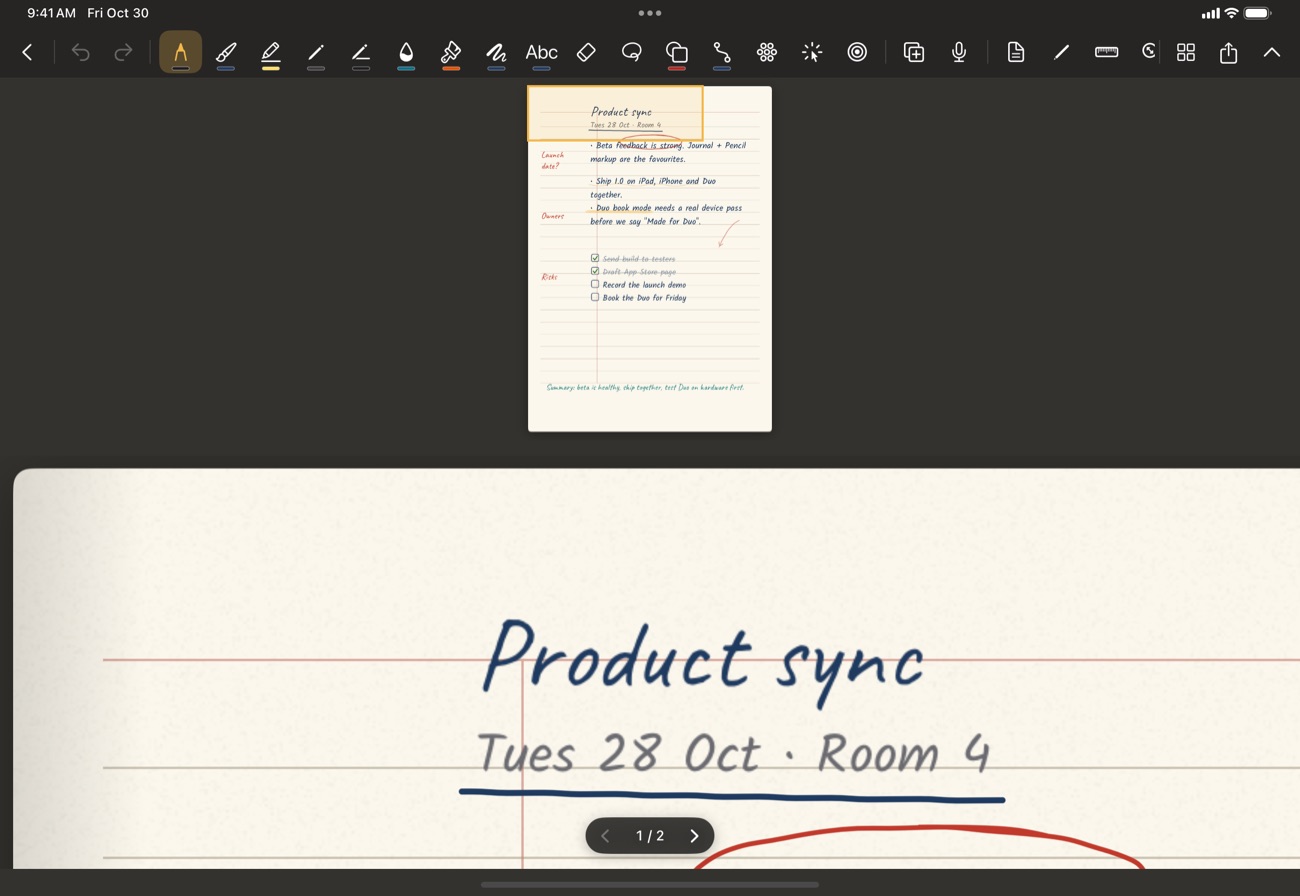
A handwritten Cornell notes page in Penara on iPad
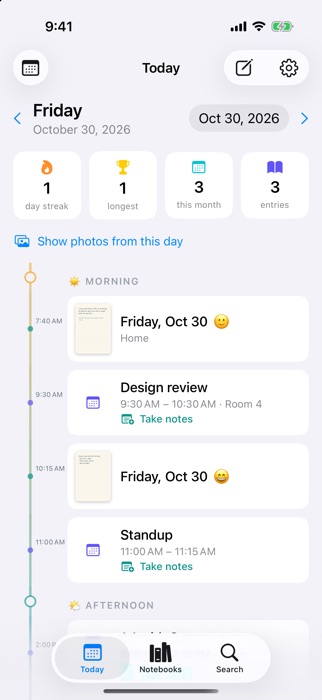
Penara's Today journal page on iPhone
Write, type, draw

Everything a pen and a keyboard can do.

Six pens with colour, thickness and presets that stay put. Hold the pen still at the end of a stroke and a rough circle, rectangle or line snaps clean. Tap anywhere and type. Draw with a phrase as the brush.

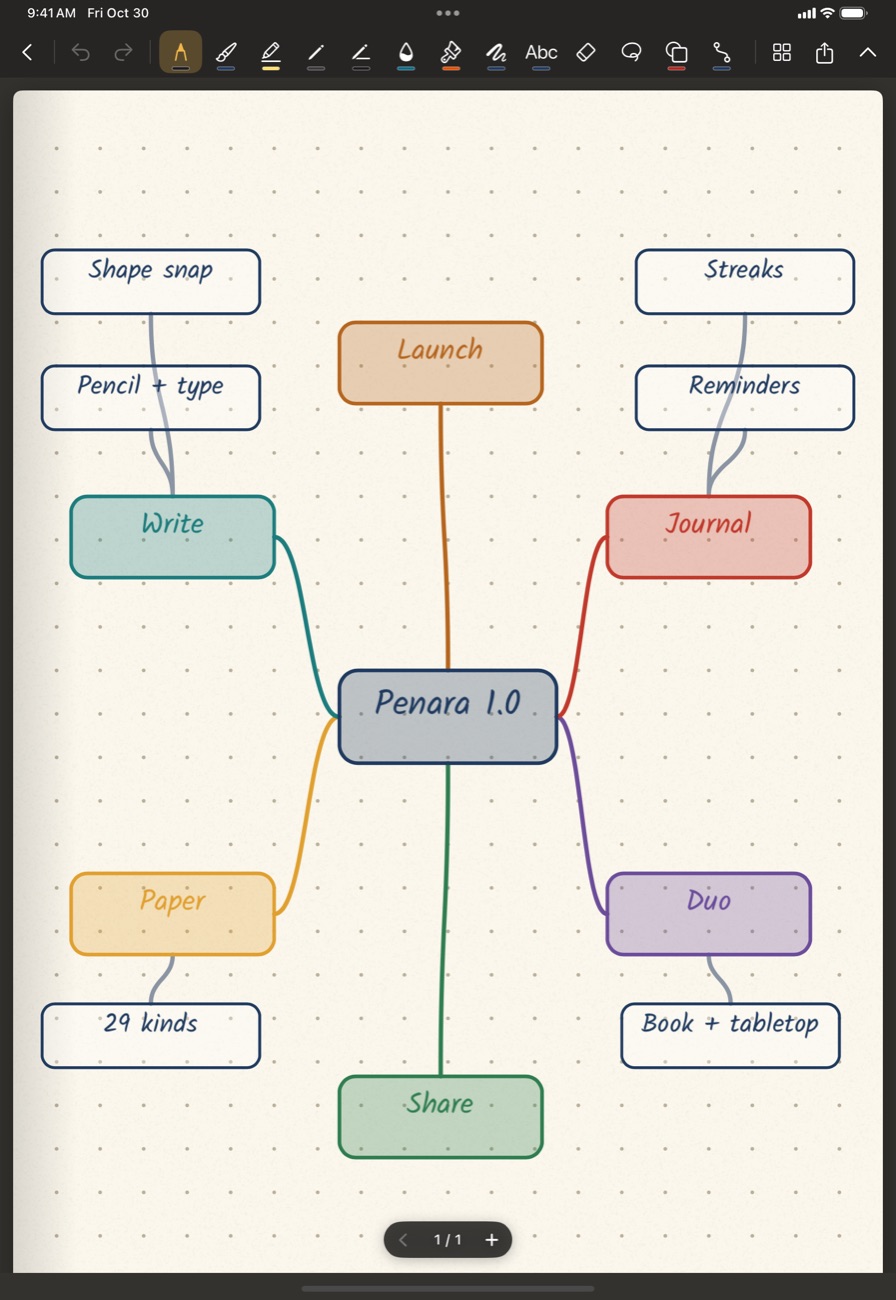
  • 27 shapes, connector lines that stay attached, self-tidying mind maps
  • Photos anywhere: move, resize, crop
  • Pencil-only mode so your palm never leaves a mark
  • Zoom with a minimap so you never lose your place
A mind map built with connectors and shapes
Documents

Mark up anything.

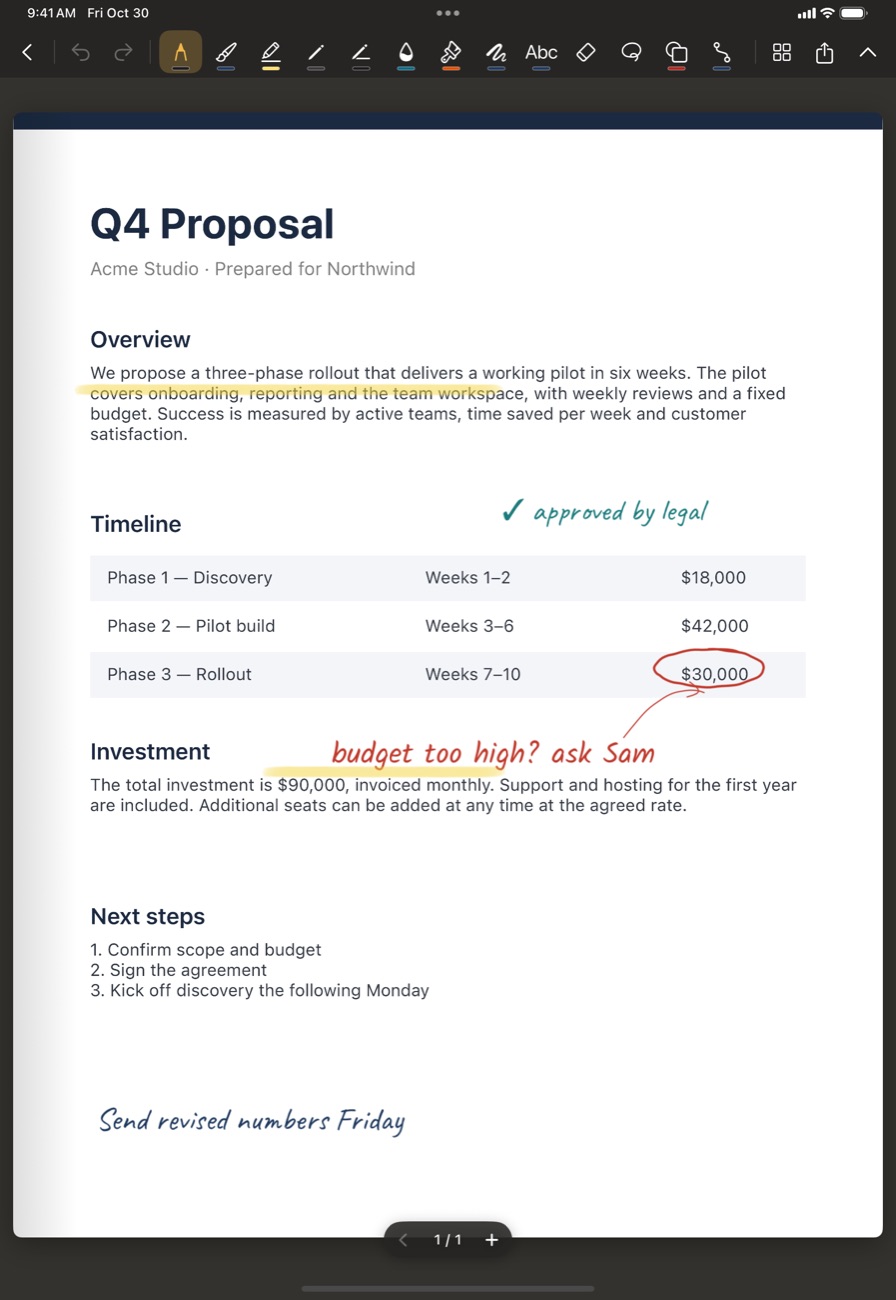
Import PDFs, Word, Pages, RTF, HTML, Markdown and images. Every page becomes a page you can annotate with Apple Pencil, shapes, photos and text. Export it back as a PDF with the original pages intact, or as PNG or Markdown.

  • Imported PDFs keep their crisp vector pages
  • Back up everything as a single file you own
  • Open files from other apps straight into Penara
A PDF annotated with Apple Pencil
Paper

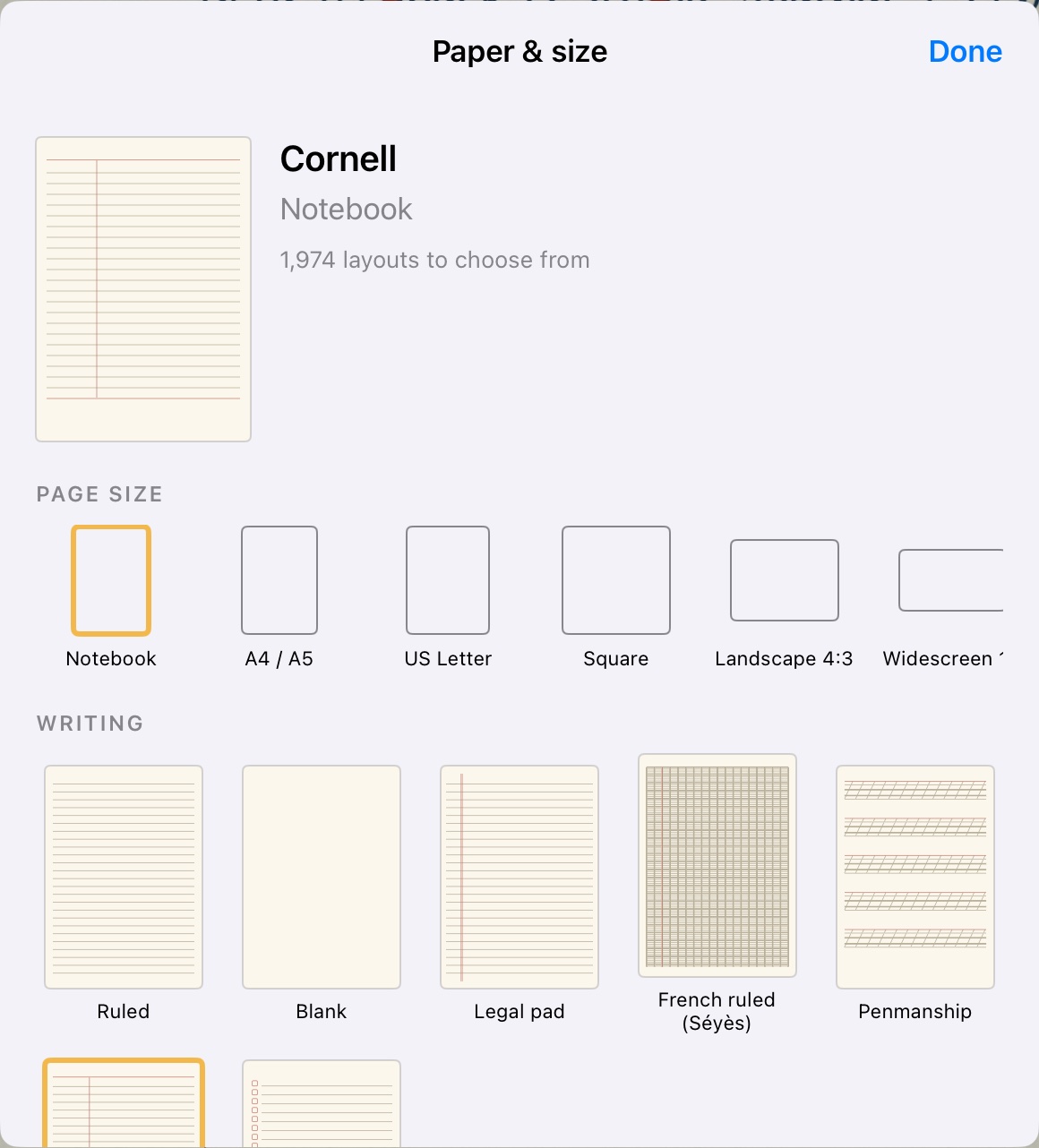
29 kinds of paper. Over a thousand layouts.

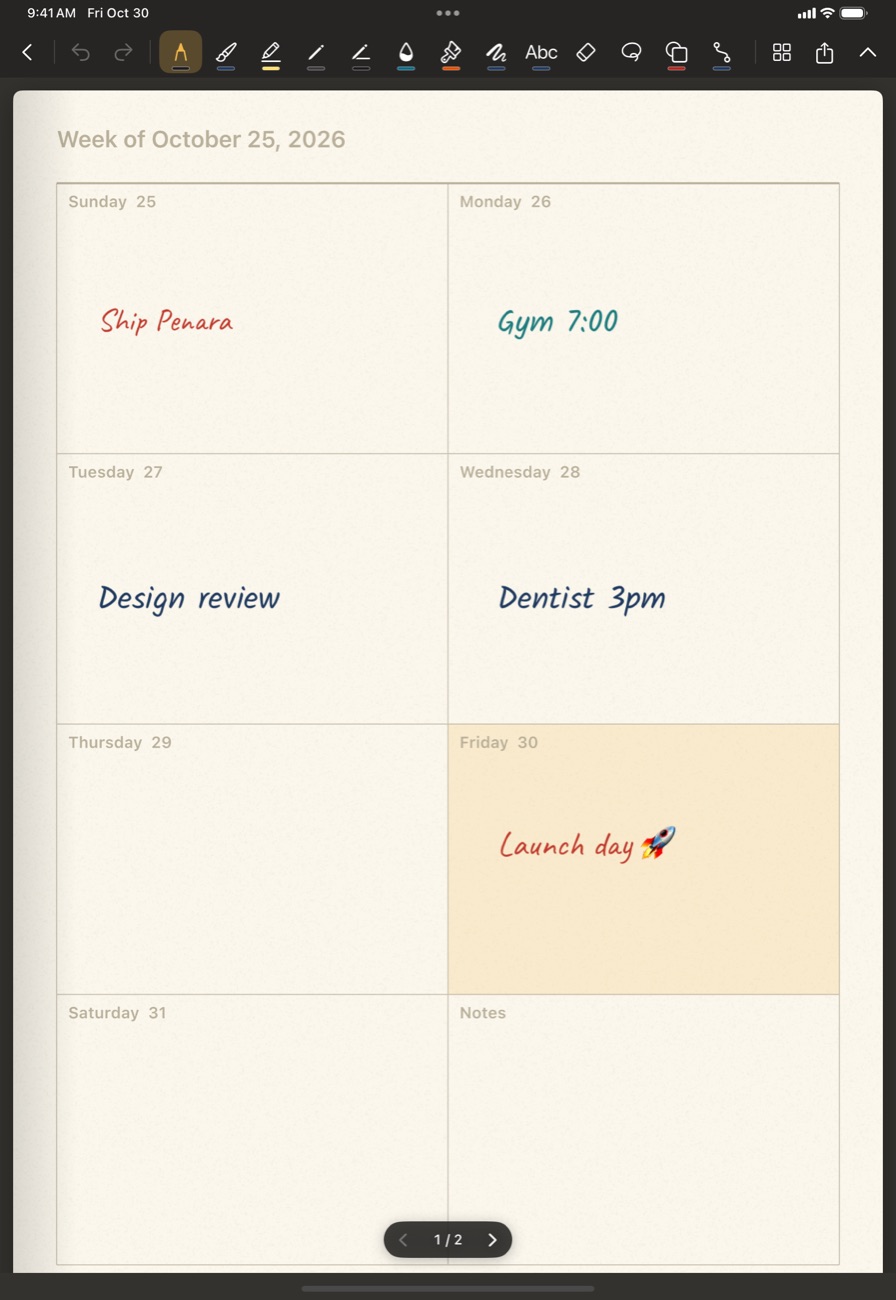
Choose the paper, the density, the margins and the page size. Planner pages are alive: they follow the real calendar and highlight today and the hour you're in.

The paper picker showing planners, grids, music staff and more
RuledLegalFrenchPenmanshipCornellTo-doGridDotIsometricEngineeringPolarLogChemistryMusicGuitar tabStoryboardPerspectiveDeveloperDayWeekMonthYearHabitFood
A live weekly planner with today highlighted

Six page sizes: notebook, A4, Letter, square, landscape and slide. Page by page or continuous scroll, in any paper colour.

Journal

A journal worth keeping.

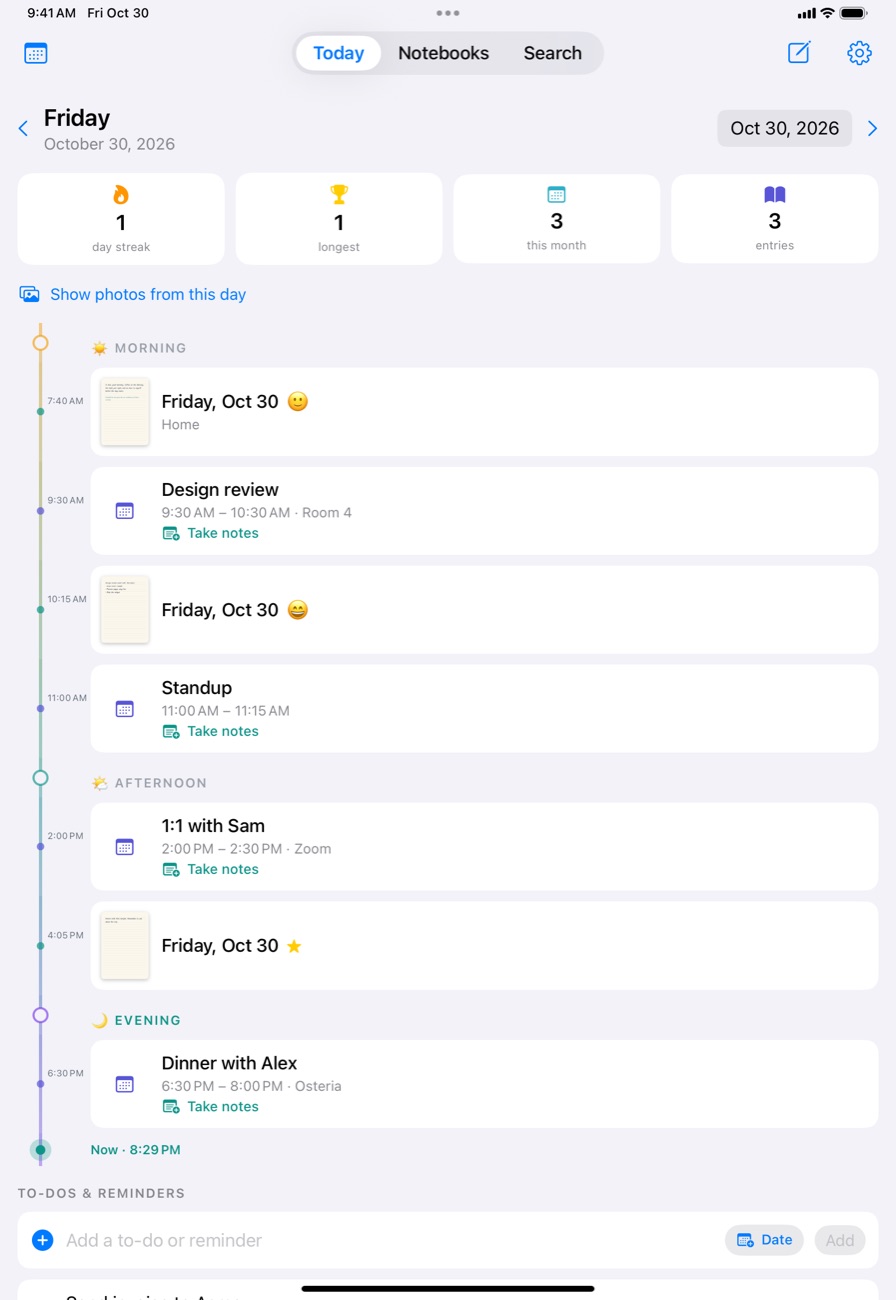
Every day gets a page with a timeline, your calendar events, photos, mood and place. Make to-dos and Reminders right on the page. Start notes from any meeting in your calendar, and the notes link back to the event in the Calendar app.

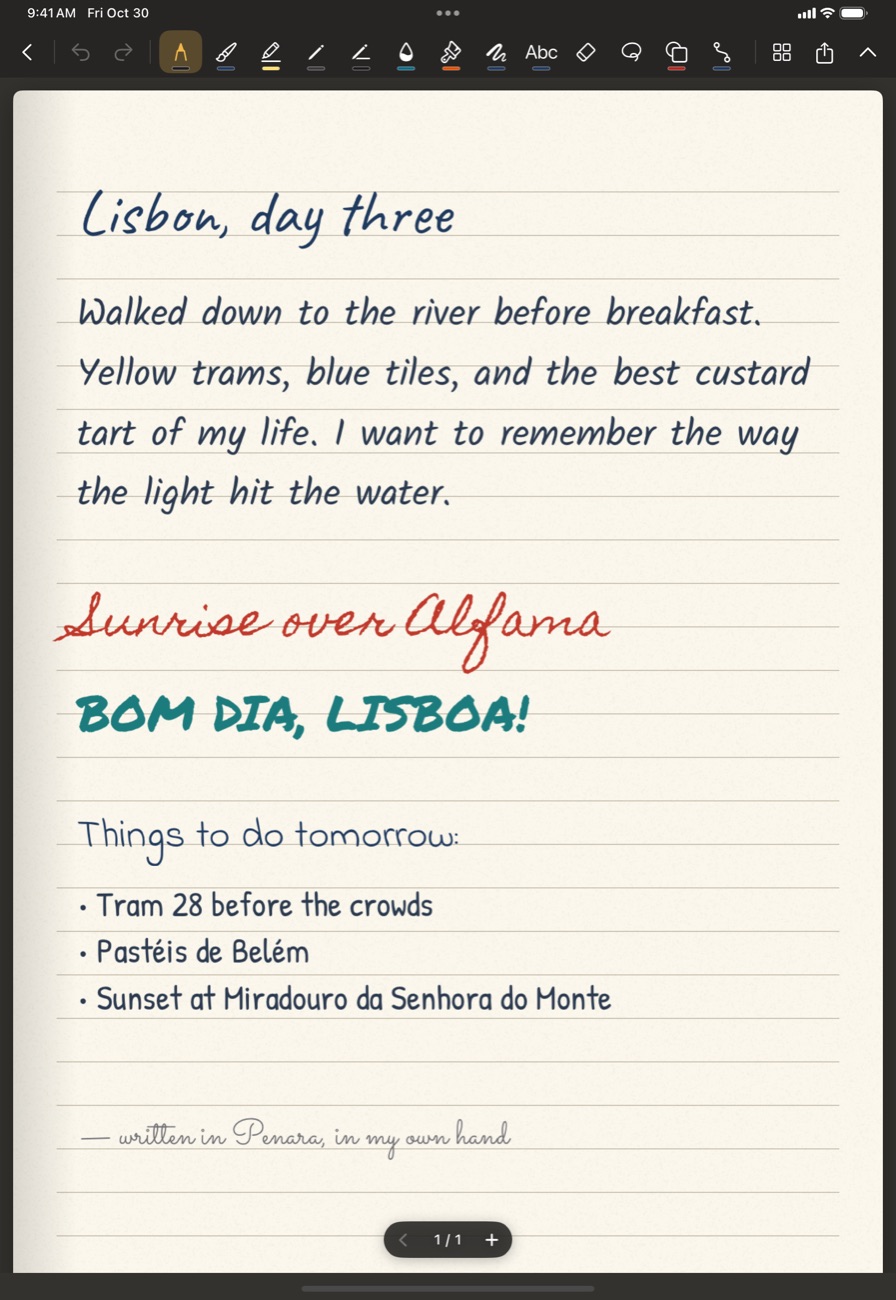
Write the way you like: with Apple Pencil and keep it as ink, or let Pencil turn into text in your chosen font, with bullets, numbering, indents, colour and full formatting. Your choice, entry by entry.

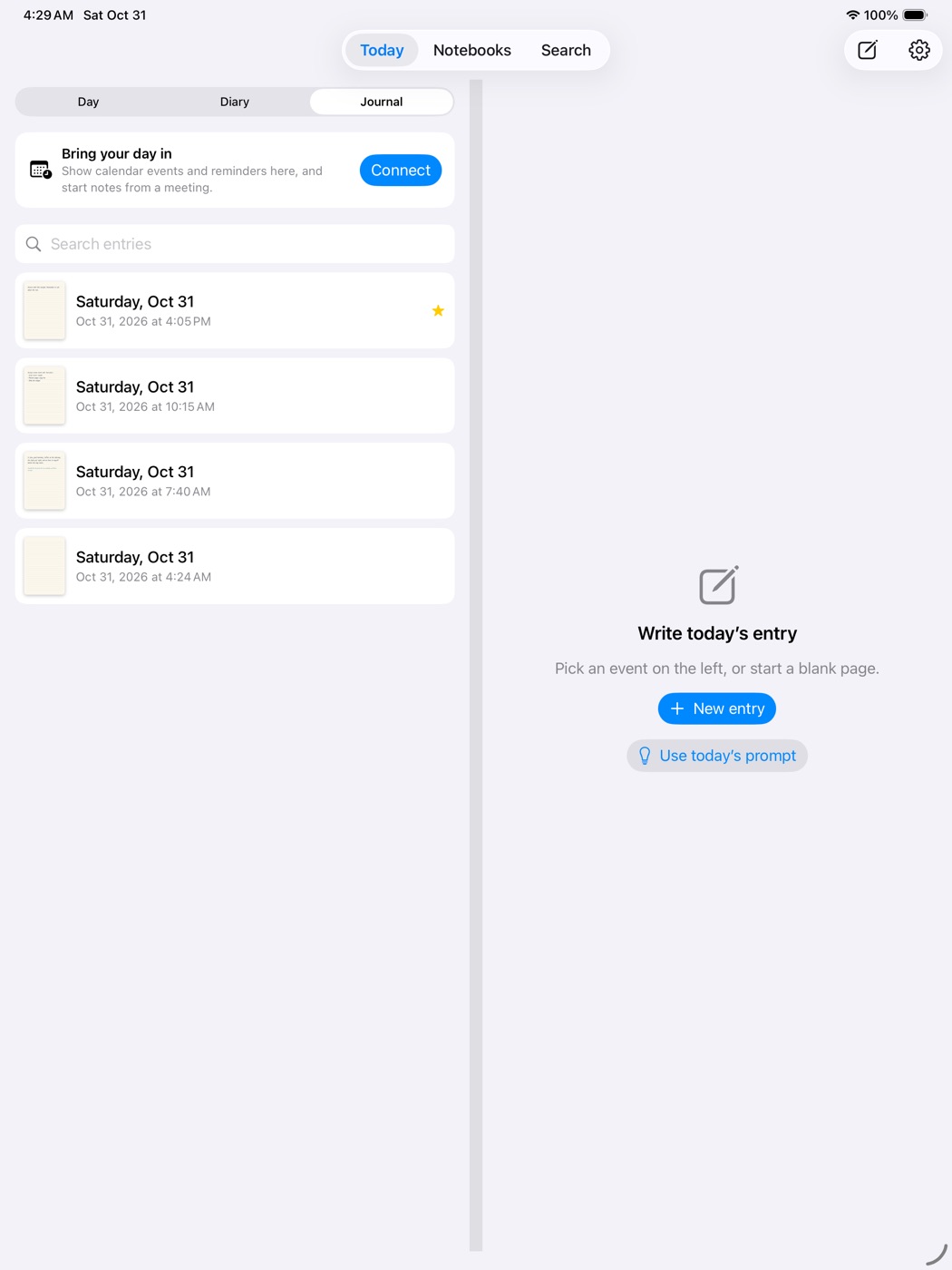
  • Three views: Day (hour grid), Diary (the log) and Journal (every entry, searchable), with a swipe between days
  • Choose which calendars appear
  • Edit, move, duplicate or delete any entry
  • Real Reminders: create, tick and reschedule
  • Streaks, a daily prompt and "on this day"
  • Lock the journal or any notebook with Face ID
  • Record audio, then tap a stroke to hear what was said when you wrote it
The Today journal page with timeline, events and to-dos

Open flat, the journal splits in two.

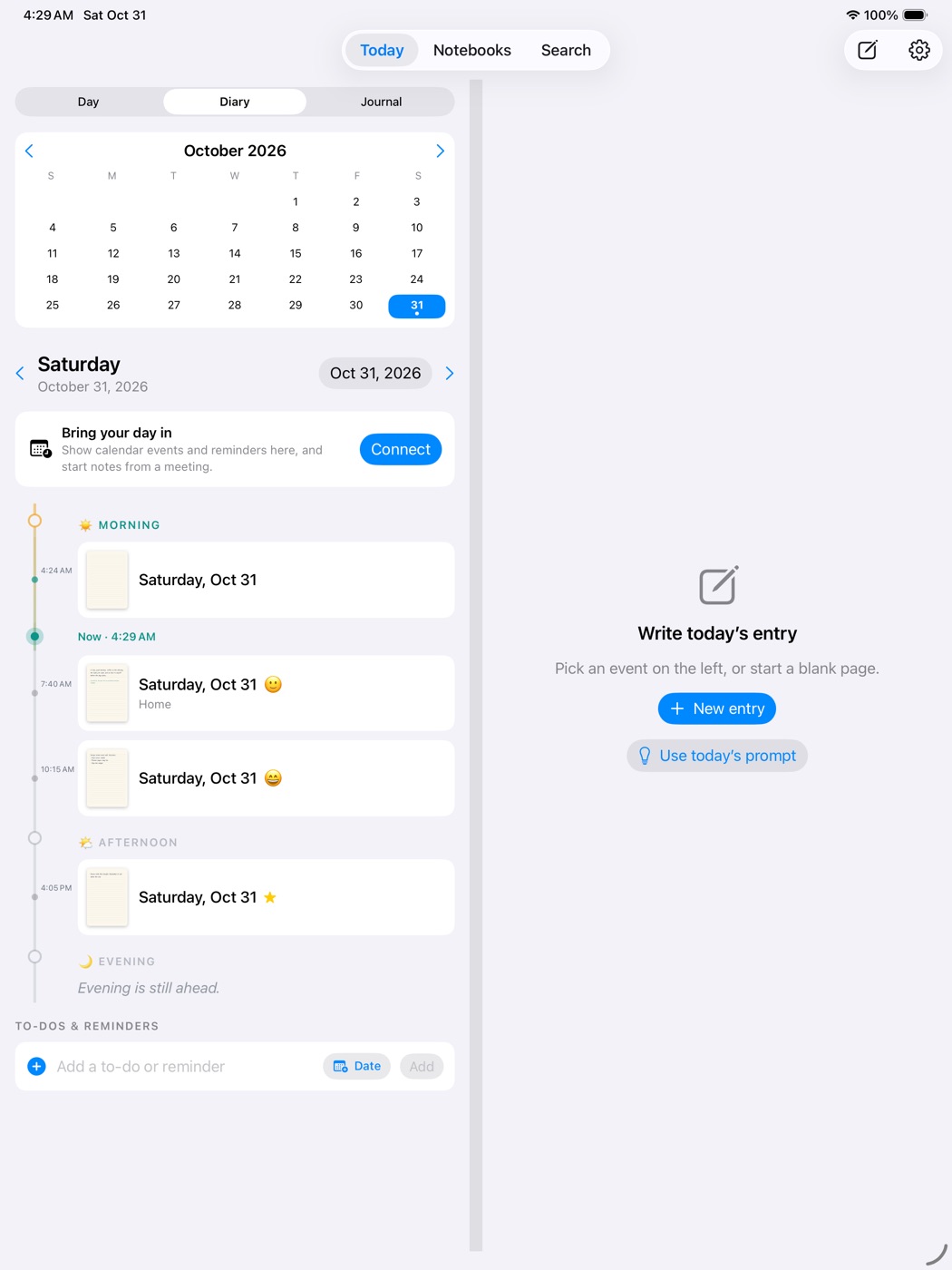
On iPhone Duo opened flat, and on wide iPads, a month calendar, the day's details and the scrolling log sit on the left, and your writing page fills the right.

Journal split view: month calendar and Diary log on the left, writing page on the right
Diary view: calendar and the day's log on the left, your page on the right.
Journal view listing every entry with search
Journal view: every entry, newest first, searchable.

Shown on iPad. The Duo layouts are built for the device and tested in the simulator; we haven't yet tried them on real Duo hardware.

Type in your own hand

Your handwriting, as a font.

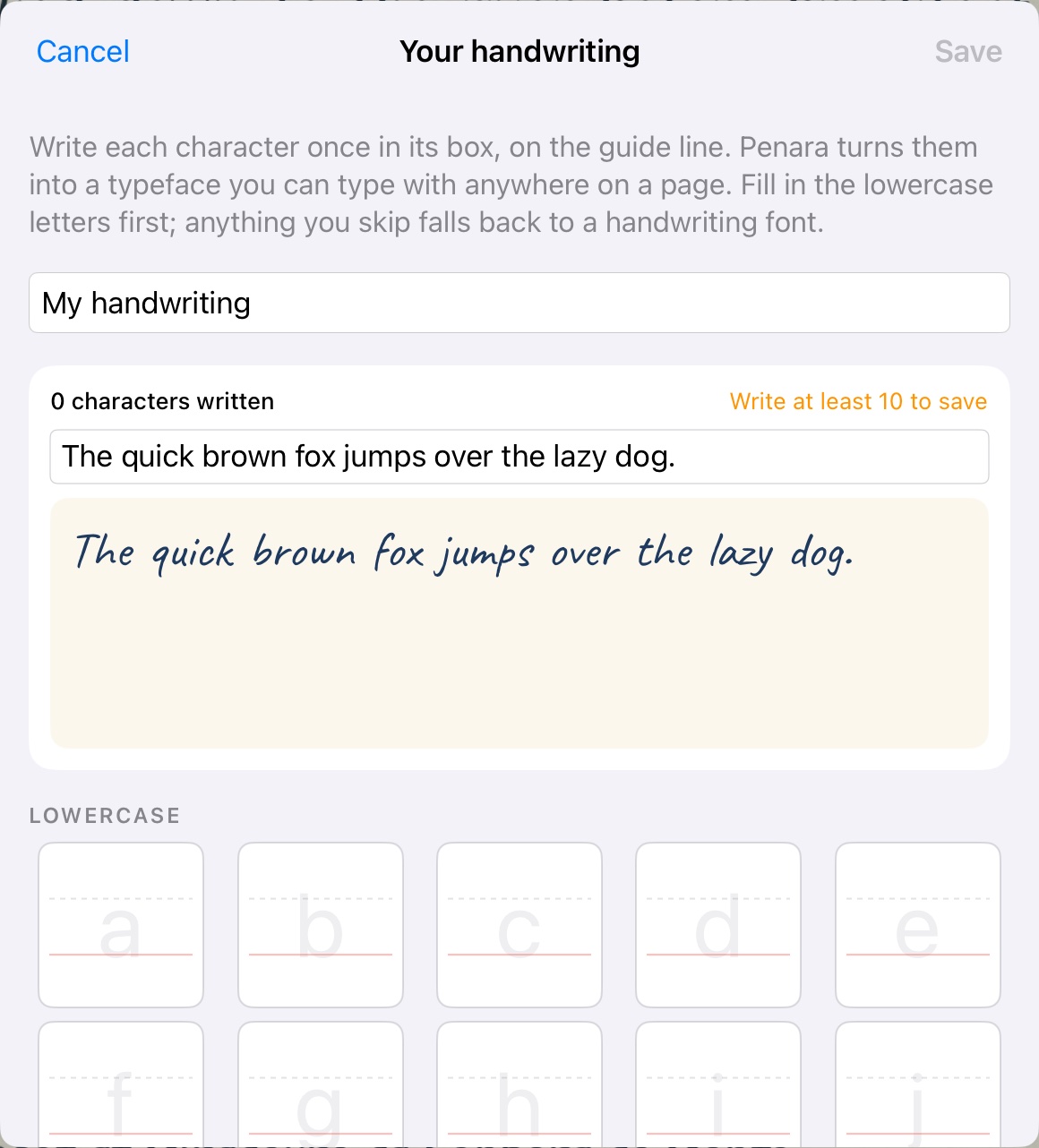
Write each letter once in the handwriting studio. After that, anything you type can appear in your own hand, with the small variations that make it look written, not printed. Or choose from 13 hand-lettered typefaces.

Dear future me, remember how this felt.

A page typed in hand-lettered fonts
The handwriting studio, where you write each letter once
Designed for iPhone Duo

Two screens. One book.

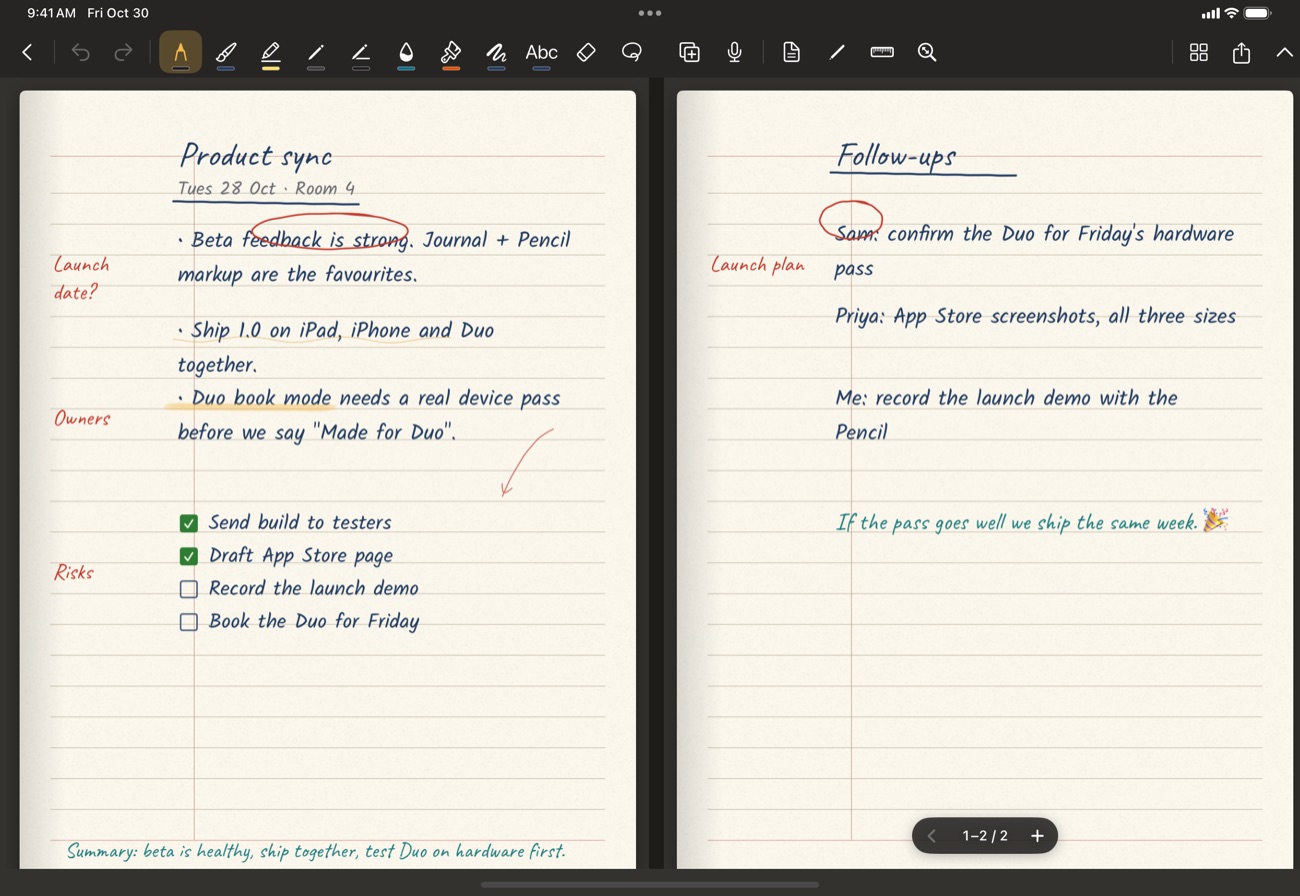
Open it flat and Penara becomes a two-page spread. Fold it like a laptop and you get a page overview above the hinge and your writing below. It also runs beautifully on every iPad and iPhone.

Book mode: a two-page spread
Book mode: a two-page spread.
Tabletop mode: page overview above, writing below
Tabletop mode: overview above, writing below.

Shown here on iPad. Penara follows the hinge on iPhone Duo and we're testing it on real hardware ahead of launch.

Make it yours

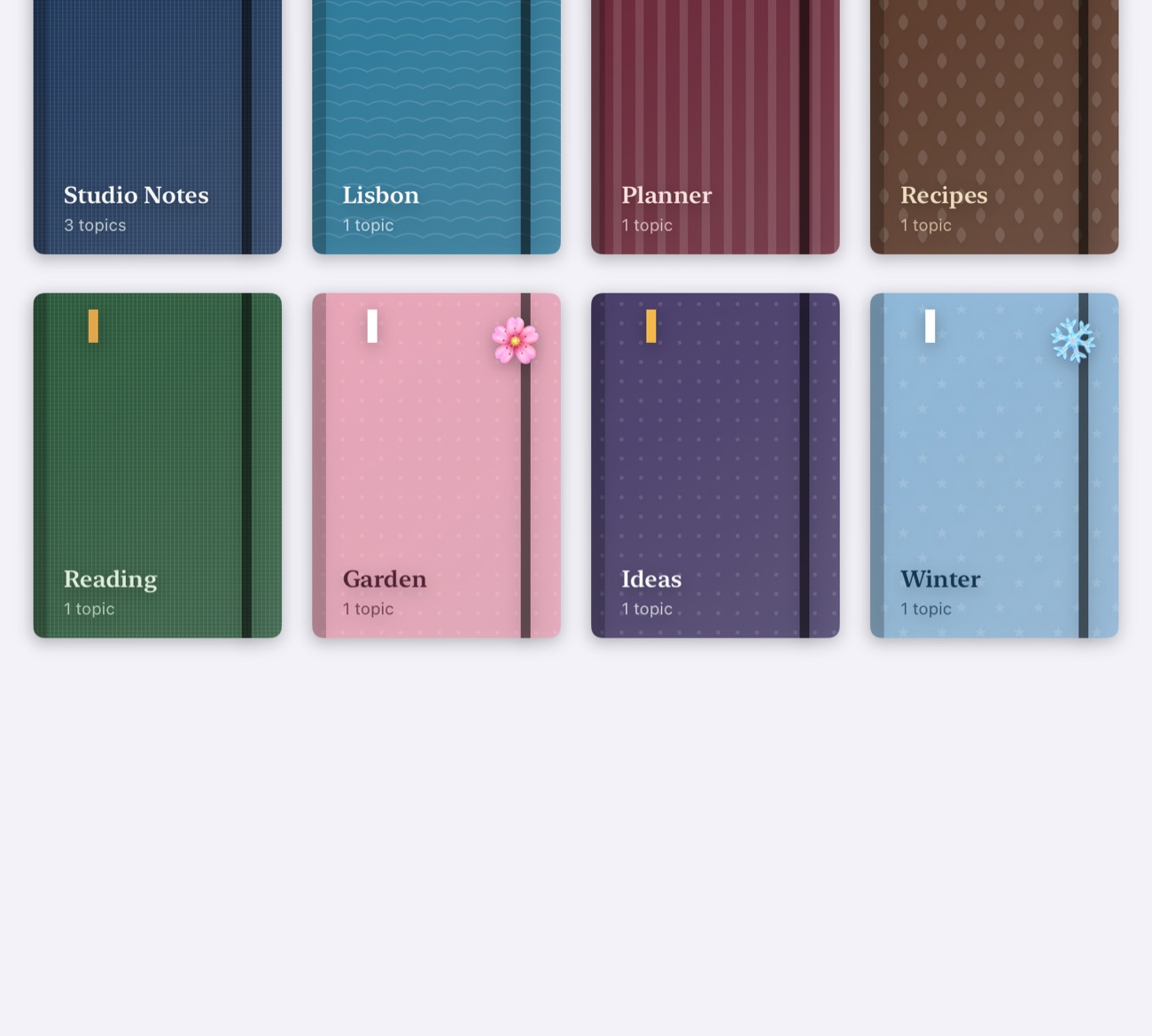
Design your covers.

Twelve themes, any colour, nine patterns, an emoji, an elastic band and a ribbon. Seasonal cover packs are coming later as add-on packs.

Open to what you need

Choose whether Penara opens to Today, a new note, your latest note, or the note you wrote nearest to where you are. A Home Screen widget and icon shortcuts jump straight in.

A shelf of designed notebook covers

Private by design.

No Penara account. No ads. No tracking. Your notes live on your device and in your own iCloud, and we can't read them.

On your device

Everything is stored locally first. Penara works offline, always.

Your iCloud

Sync uses your private iCloud database, which only you can read.

On-device smarts

Handwriting search and conversion run on the device with Apple's frameworks.

You hold the keys

Lock notebooks with Face ID. Back up everything to one file whenever you like.

How it stacks up.

Penara is built to do what the great note and handwriting apps do, in one place.

PenaraTypical notes appTypical handwriting app
Apple Pencil ink, any zoomYesYesYes
PDF, Word and Pages markupYesYesLimited
Pencil to text, in your chosen font, with formattingYesSomeSome
Daily journal with calendar and RemindersYes——
Live planner pagesYes—Some
Your own handwriting as a fontYes——
Shape snapping and mind mapsYesSomeSome
Audio recording synced to inkYesYes—
Journal with day, diary and all-entries views, split on wide screensYes——
iPhone Duo layouts (book and tabletop)Yes——
No account requiredYesVariesVaries

Simple pricing.

Start free. Pay once for Penara 1 and keep it.

Free

$0

One notebook and 10 pages across your notebook, quick notes and the Journal. Every pen, paper and tool, six templates, and export whenever you like.

Penara 1 Unlock

$19.99 once

Unlimited notebooks and pages, every template, and importing PDFs and documents. Pay once, no subscription. Keep using Penara 1 for as long as it is supported; the next major version will be a discounted upgrade.

US prices shown; the App Store shows the price in your currency. Nothing you write is ever locked away.

Penara is almost here.

Try Penara on your iPad, iPhone or iPhone Duo before it reaches the App Store. Join the free TestFlight beta and tell us what you think.

Questions

Do I need an account?

No. Penara has no accounts. Sync uses your own iCloud if you're signed in.

Which devices does it run on?

iPad, iPhone and iPhone Duo, running iOS 18 or later.

Can I mark up PDFs and Word files?

Yes. Import them and write on every page with Apple Pencil. Export back as a PDF.

What does one-time mean?

You pay once for a major version of Penara and keep it. When the next major version arrives, owners of Penara 1 can upgrade at a discount. There is no subscription.

What happens when I reach 10 free pages?

Everything you've written stays yours: you can still read, edit, export and delete every page. To add more pages or notebooks, unlock Penara once.

Will I have to pay again for new versions?

Penara 1 keeps working for as long as it is supported. When the next major version arrives it will be a discounted upgrade for people who own Penara 1; you choose whether to upgrade. Paper, template and cover packs will come later as separate add-ons you can buy if you want them.

Is my data private?

Yes. Notes stay on your device and in your private iCloud. We don't collect your data and there are no ads or trackers.

Can I write my journal by hand and still get text?

Yes. Write with Apple Pencil and it becomes text in your chosen font, with bullets, numbering, indents, colour and formatting. Or keep it as plain ink. You choose a default in Settings, and can switch for any entry.

How does the journal work on iPhone Duo?

Opened flat, the journal splits: month calendar, day details and the log on the left, your writing page on the right. The Duo layouts are built for the device and tested in the simulator; we haven't yet tested on real Duo hardware.

Can I choose which calendars show up, and edit entries?

Yes. Pick the calendars you want in the Journal. Notes for a meeting link back to the event in the Calendar app. You can edit, move, duplicate or delete any entry.

Will it work without an Apple Pencil?

Yes. Write with a finger, type, or use the shape and text tools. A Pencil makes handwriting better.